3 Best Laptops for Gaming and School Under 1000 in 2026
As an Amazon Associate, this website earns from qualifying purchases.
The short answer
Check the course tools first. Assess the HP when its fitted 16GB RAM suits them; both Acer units start at 8GB. Screen and travel evidence remain separate checks, and no matching full-day battery result is established here.
Compare this unit when its listed graphics and screen fit your games and 8GB supplied RAM fits the required school tools.
Core i5-13420H and RTX 4050 Laptop GPU
15.6-inch Full HD IPS screen, 165Hz
8GB DDR5 RAM; 512GB SSD
Keep in mind:Only 8GB RAM is fitted. A memory upgrade remains a separate check, and the refresh figure proves neither game speed nor all-day suitability.
Assess this exact model when its CPU and GPU fit your course and games, with the supplied 8GB RAM kept in view.
Core i5-13420H and RTX 4050 Laptop GPU
15.6-inch Full HD IPS screen, 144Hz
8GB DDR5 RAM; 512GB SSD
Keep in mind:Its laptop-only carry weight and matched unplugged result are not established here. The newer Nitro V's panel and service facts cannot fill those gaps.
The best laptop for gaming and school has to fit the course first. Check the required apps and device rules before comparing game graphics. A laptop can have a useful GPU while missing a class requirement or a firm need away from power. No single gaming label settles that whole choice.
We would assess the HP first if 16GB of supplied RAM suits your studies. Both Acer units start at 8GB. These three units are parts-based candidates. We have not tested class tasks or games on them, nor their battery life. Their limits stay beside the purchase links.
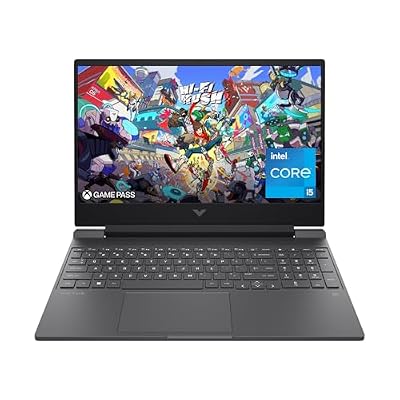
#1. HP Victus 15-fa1040nr: more memory already fitted
HP's exact model sheet lists a Core i5-12500H and RTX 4050 Laptop GPU. It supplies 16GB DDR4-3200 as two 8GB sticks, with a 512GB SSD. That memory amount is a useful reason to assess this unit before the two Acer options.
The built-in screen is Full HD IPS at 144Hz. HP states 250-nit brightness and a 45% NTSC gamut. Those are limits to weigh for visual work, rather than a reason to call the panel ready for every course. The Victus review keeps the full setup and service checks visible.
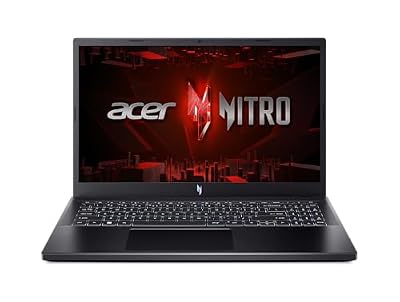
#2. Acer Nitro V ANV15-52-586Z: higher stated refresh, less RAM
Compare this unit when its listed graphics and screen fit your games and 8GB supplied RAM fits the required school tools.
Keep in mind: Only 8GB RAM is fitted. A memory upgrade remains a separate check, and the refresh figure proves neither game speed nor all-day suitability.
The ANV15-52-586Z names a Core i5-13420H and RTX 4050 Laptop graphics. It lists 8GB DDR5 and a 512GB SSD. Its 15.6-inch Full HD IPS panel is specified at 165Hz. Keep the whole model code when checking the required ports or service route.
If the course calls for more RAM, resolve that need before ordering. A supported maximum is not the amount included at sale. Assess the laptop as you will receive it. Include any needed parts and fitting work in the full plan.
#3. Acer Nitro V ANV15-51-51H9: distinct 144Hz configuration
Assess this exact model when its CPU and GPU fit your course and games, with the supplied 8GB RAM kept in view.
Keep in mind: Its laptop-only carry weight and matched unplugged result are not established here. The newer Nitro V's panel and service facts cannot fill those gaps.
This Nitro V lists the same CPU and GPU names as the other Acer. It has 8GB DDR5 and a 512GB SSD, with a Full HD IPS screen at 144Hz. The two records remain separate despite those shared chip names.
Our ANV15-51-51H9 review explains its exact identity and limits. Do not treat every Nitro V as the same student laptop. A family name cannot establish the installed screen, supported upgrade or measured runtime of the variant you choose.
Best laptop for gaming and school: let the course lead
Start with the course's current device guidance. Use the department or program record rather than a broad school label. A general admissions page may not describe the tools used in a later specialist class. Check the actual program and year of study.
Write down the apps that must run locally. Include the required version if the course names one. Check the vendor's own rules for that release. It may not be the newest public version. Keep the course and vendor records together.
If the course supplies access to a lab or remote host, find out what still needs to run on your laptop. A browser client can be a different local task from a complete workstation app. Do not assume that access to a remote tool removes every local requirement.
Ask about the operating system as well as the hardware. A program may require a particular supported setup or software path. The fact that a laptop runs Windows does not prove every tool or exam system accepts the shipped version and edition.
Keep a short list of firm needs. Separate them from useful extras. A feature needed to complete coursework should be a buying gate. Weigh a higher refresh rate for games later. Meet the firm needs first.
School need
Evidence to obtain
What the laptop label cannot prove
Required local software
Program list and app-version requirements
Every tool works because it has Windows
Remote or lab work
Access route and local-client needs
A remote host's power is local laptop performance
Exams and managed tools
Current school instructions and permissions
Every security or setup rule is satisfied
Daily carry
Laptop plus charger and normal bag contents
Screen size equals a comfortable carry kit
Time away from power
A matched test of the actual task
Battery capacity equals a full class day
Visual coursework
The required display standard
A high refresh figure proves accurate color
Scroll for more →
If a required fact is unclear, resolve it before choosing. A familiar brand should not turn an unknown into a pass. This shortlist is useful only within the task its documented parts can support.
Do not buy only for the first week
Look beyond the first light exercise on the syllabus. A course can begin with documents and later use a local development or design tool. Ask what students are expected to run during the year, rather than infer the whole workload from the first class.
That does not mean buying for every possible future subject. Keep the plan tied to the course you intend to take. A vague fear of needing more power can lead to a machine that is awkward for the daily work you already know you will do.
If the program has not published a requirement list, ask for one. Name the course and the work you expect to do. A precise question about local software is more useful than asking whether any gaming laptop is good enough.
Write the answer beside the model code you are assessing. A store may change the selected parts. If it does, check the new setup. Use the same firm needs each time. A family name cannot replace the course check.
A code editor and an emulator need different checks
Visual Studio Code's current guidance recommends a 1.6GHz or faster processor and 1GB RAM for the editor. That narrow guidance does not cover every extension or the tools used by a full project. Do not use it to qualify an entire software course.
Google's Android Studio Windows table separates Studio alone from Studio plus Emulator. It lists 8GB RAM as the minimum for Studio, and 16GB for the combined setup. The recommended amount is 32GB. Required virtualization support must also be enabled in BIOS.
The HP reaches the listed combined minimum RAM amount as supplied. Each Acer supplies 8GB, below that combined minimum. None of the three has the recommended 32GB fitted in the selected record. This is a comparison of memory capacity, not an emulator-speed result.
If your class uses an emulator, obtain the actual teaching setup. Check whether the required software path and permissions are available on the device. A CPU's support for a feature does not prove that it is enabled or that a managed account may change it.
The RAM guide explains the exact-model memory check. Keep tool support separate from the game check. A laptop that meets a development minimum has not thereby passed a game benchmark.
Editing courses need an app and display check
Adobe's current Premiere requirements recommend 16GB system RAM for HD media and 32GB or more for 4K and higher. They recommend 8GB graphics memory. The current Windows release also names Windows 11 version 24H2 and CPU feature requirements.
The HP supplies the HD recommended RAM amount, while both Acer units supply 8GB. NVIDIA lists the selected RTX 4050 Laptop GPU with 6GB graphics memory. None therefore reaches Adobe's recommended 8GB graphics-memory amount. No unqualified promise for every 4K project follows from these parts.
The display is a separate gate for color work. HP's stated 45% NTSC gamut is a known limit. A suitable measured color result for either Acer panel is not established here. A dedicated GPU does not make the built-in screen a verified choice for critical color decisions.
If your course requires another editor, use that app's own current record. Do not transfer Premiere's requirements to every creative tool. Name the media and workflow you must use, then seek a matching test if playback or export speed is a firm concern.
Specialist software can change the choice
A design course may have a tool list beyond office work. The same is true of engineering or data work. Obtain the exact app and version before buying. Check its GPU rules and other firm needs. Then match them to the selected laptop's parts.
A gaming GPU is not proof that every specialist app has certified it. If the course needs a certified device, check that record first. We do not invent that approval. Nor do we give these units a workstation's test result.
Also find out what work is expected to run on school systems. A lab may provide a tool for some tasks while still requiring local preparation or a supported remote client. Keep those roles separate so you do not buy for a workload the laptop will never perform.
If the course guide and app's current rules differ, ask which version the class uses. Do not quietly choose the easier rule. Get a clear answer before buying. A powerful-looking laptop cannot resolve an unknown setup.
Check games as their own part of the day
List the actual games you will play. Include the settings and screen you hope to use. A short evening session in a demanding game still asks the hardware to render that game. Playing casually does not make every title a light workload.
Use current publisher requirements to identify obvious gaps. They do not promise a frame rate on a complete laptop. For that, look for a matching test with the settings and power mode stated. Keep any upscaling or frame-generation path clear in the result.
For Fortnite, Epic recommends 16GB or more system RAM. The HP reaches that amount as supplied. Both Acer units start at 8GB. This does not establish a combined result with a browser call or other class apps left open.
Riot's current League of Legends Windows requirements recommend 4GB RAM. All three selected units exceed that memory amount. The rest of the support rules still apply, and the amount alone does not prove the game reaches the panel's full refresh rate.
For Genshin Impact, HoYoverse recommends 16GB RAM and 110GB or more free space, with updates able to increase the storage need. The HP reaches that recommended RAM amount; both Acer units have less. Check actual free space rather than the SSD label alone.
Those games show why one broad student-gaming score is not useful. Their published memory targets differ. Match the titles you actually play, then assess the whole laptop within that narrower task.
A requirement is not a measured result
A published minimum gives a starting level of supported hardware or software. A recommendation is a different level of guidance. Neither is a test of your exact laptop with your exact workload. Keep that limit in mind when reading every capacity comparison on this page.
We do not add several app minimums and call the sum a benchmark. The combined task needs its own evidence. Use the rules to find clear gaps. Seek a test of the real task if speed is firm.
The same care applies to processor names. The full CPU model is more useful than a broad tier such as Core i5. Yet even the exact CPU cannot establish the whole laptop's behavior. Fitted RAM and the task's power conditions remain part of the record.
This guide therefore gives a conditional order. The HP's extra supplied memory is useful to assess for certain tools. The two Acer models have their own screen records and base-RAM limits. None is called a proven all-purpose class-and-gaming winner.
Fit the memory to the apps you use together
Record the RAM fitted at delivery. Do not use the largest option on a family page as though it is included. The HP in this pool supplies 16GB. Each Acer supplies 8GB. That difference belongs near the start of a mixed-use buying decision.
Next, list the apps that stay open during class. A call with a browser and a local tool is not one blank document. The app rules help you find gaps. A test of the real mix is better evidence if the response must be fast.
Do not assume that changing the memory type cancels a capacity gap. The Acer records name DDR5, while the HP names DDR4-3200. Those facts do not make 8GB the same amount as 16GB. Compare capacity and the complete system rather than let one specification erase another.
If a course asks for more memory than supplied, plan the change before ordering. Verify the exact model's supported parts and service route. A high listed maximum does not establish the current module layout, and a slot count alone does not mean a slot is empty.
HP identifies its factory memory as two 8GB modules. Both slots are occupied. That is why a simple assumption about adding a spare stick would be wrong for this selected setup. Keep any replacement plan conditional on the correct supported parts and fitting procedure.
We have not verified a named RAM kit for these three units. Do not turn a generic accessory suggestion into a guaranteed upgrade. Include the required parts and fitting work in the complete purchase decision, with a suitable factory setup as another path to assess.
Plan actual storage rather than only the SSD label
Each selected laptop lists a 512GB SSD. That is a capacity figure, not the space left after Windows and apps are installed. Your coursework and local game library then need their own room. Check actual free capacity rather than assume the full label remains available.
Make a list of the large items you must keep locally. Include course media or project data where relevant. Name the games that must stay installed too. You do not need every possible future download in that list, but the firm local needs should fit the plan.
Updates can change storage needs. HoYoverse's Genshin guidance explicitly warns that the required free space can grow. A current small library is not proof that the same drive plan fits every later term. Leave room for the work you actually expect to add.
If an extra drive is essential, verify the exact model's supported route. A family service guide can describe options without proving that your unit has an empty slot. Check the drive type and occupied layout before counting an upgrade as available space.
An external drive is a different plan, with its own connection needs. Read the exact port record and the drive's requirements. We have no transfer-rate result for a named external-drive and cable combination on these units. A connector shape cannot supply that missing test.
Keep coursework recoverable
Decide how you will recover an important file if the laptop is lost or the drive fails. Use a backup route that fits the course and any school policy. A second folder on the same physical drive is not a separate copy against loss of that drive.
Test that you can restore a useful file through the chosen process. The presence of a sync icon alone does not tell you whether the right files are included. Check the finished copy and the route back to it, rather than wait until a deadline to discover a gap.
For code or group work, follow the project's rules about what belongs in a shared repository. Some local data and settings may need another route. Do not assume that every important item is tracked merely because the main project uses version control.
Keep account access and recovery details in your chosen security plan. The laptop's hardware specification cannot establish that you will be able to reach a school service from a replacement device. A simple access check can matter as much as extra storage when the machine is your main study tool.
This is part of the buying plan rather than an optional feature comparison. If you need an extra storage device or service to keep work recoverable, account for it. A stronger GPU does not replace a separate copy of irreplaceable coursework.
Read the screen beyond its refresh rate
All three built-in screens are listed at Full HD. The newer Acer states 165Hz, while the HP and older Acer state 144Hz. These are different refresh ceilings. They do not establish which panel is brighter or more accurate, nor how quickly its pixels respond.
HP's exact sheet states 250 nits and a 45% NTSC gamut. Those figures expose limits to weigh, especially for visual work. We do not have matching brightness or color results for the two Acer panels. Their missing figures are not an advantage over the documented HP compromise.
If a course has a firm color standard, use that as the gate. None of these built-in screens is presented as a verified critical-color choice. A gaming GPU and an IPS label cannot supply the missing result for that specific task.
For daily reading, decide how much working space you need. The right arrangement for documents and reference material may matter more than unused refresh headroom. If possible, assess the actual screen and text layout rather than choose only from a headline number.
Screen glare and the room also deserve care. A generic hero photo in daylight is not evidence of the selected panel's brightness or reflections. Use a matching screen test where available, and keep its conditions attached to the result.
A high-refresh screen does not supply game frames
Refresh describes how often the panel can update. It does not prove that a game creates a new frame for every refresh. A 165Hz panel therefore cannot establish that the newer Acer runs a particular game faster than the 144Hz options.
Read the full game-test method if you use one. Check the resolution and visual settings. Keep any upscaling or frame generation identified. An attractive output number with a different rendering path does not make an equal-quality comparison by itself.
We have no matched game test for these units that would settle such an order. The selected screen figures are useful parts to compare, with the missing performance result left visible. Do not buy an assumed frame rate that no source has measured for the exact laptop.
The same care helps with school use. A smoother-looking number on a specification sheet cannot establish a better panel for detailed visual work. Keep the separate screen qualities tied to the evidence for each one.
Keyboard layout and practical input needs
Look at the actual keyboard layout for the region and model you will buy. Check the keys you use often in your course. A photo of another family variant may not settle that question. We have no hands-on typing test that would rank these three keyboards for study.
If you use specialist shortcuts, check their placement on the chosen layout. A keyboard can meet a basic input need while still fitting your habits poorly. This is a practical fit question rather than a claim a CPU or GPU specification can answer.
For a desk setup, an external keyboard or mouse may be part of your normal work. Check the required connections alongside the other devices you plan to use. The laptop must still fit your needs when those accessories are not with you in class.
If you need a particular input method or accessibility feature, verify its support through the exact OS and tool path. Do not infer that every class app behaves the same way. Obtain the course's supported workflow where that feature is essential.
Ports for the actual class and desk
List the devices you must connect. A screen or storage device can use a port you also planned for another item. Check the complete set rather than count sockets without deciding what they need to do.
HP's sheet lists USB-C with DisplayPort support, plus USB-A and wired Ethernet. Those are exact-model facts for the selected 15-fa1040nr. They do not establish Thunderbolt support or laptop input charging through USB-C. Keep the narrower documented features in the decision.
For the Acer units, use the full model's current port record. A CPU's feature list does not establish the laptop maker's chosen connections. A related model's photograph also cannot prove the same port layout or capabilities.
If a required port remains unclear, resolve it before ordering. A generic adapter may not supply the missing feature. We have not checked a named dock or adapter set for these units. No such accessory is treated as an included solution.
An external display needs the whole connection
Decide the display mode you need at the desk. Then match the laptop's output with the monitor input and cable. If a dock is involved, include it in the check. The monitor's advertised maximum does not prove the laptop-to-screen path supports it.
A USB-C connector alone is not a complete feature list. Read the exact port's display support. Check whether the dock and cable support the intended path too. Do not assume that a device which fits the socket supplies every display mode or power feature you want.
If the course uses a classroom projector or lab screen, ask which connection is available. Confirm that a supported adapter exists for the exact laptop if needed. This narrow check can be more useful than a broad statement that a gaming laptop has plenty of ports.
Keep the desk setup separate from travel use. An excellent external display cannot improve the built-in panel when you leave it behind. The laptop should be assessed against both situations if you need it in both places.
Compare a complete carry kit
HP states 5.06lb for the selected laptop alone. That leaves the adapter and cables outside the figure. If you need them during the day, they belong in the bag. Do not call a laptop-only mass a complete commute weight.
The selected Acer catalog weight scope does not establish comparable laptop and charger figures here. We therefore do not turn those records into a fair lightweight ranking. A missing measurement should not become a claim that either Acer is easier to carry.
Think about what you carry on a normal day. Include the books and other devices that must travel with the laptop. A setup used mostly at home can fit differently from one carried across campus. Screen size alone does not establish comfort or the whole bag load.
Check the bag's usable space against the exact laptop dimensions. A nominal screen-size label is not a case-fit guarantee. We have not verified a named bag for these units. Use the actual dimensions and the bag maker's supported size rather than assume every similarly labelled sleeve fits.
If carry weight is a firm limit, obtain comparable figures before choosing. The right evidence should state what is included. That may rule out a candidate even when its gaming parts fit. It is a different buying gate from the GPU class.
Battery capacity does not mean a full class day
A battery's energy capacity is a hardware fact. Runtime depends on the task and conditions. Its size does not tell us hours of class use. Nor does the processor name. A useful result needs a matching test with the method stated.
Separate light document work from calls or a local computing task. A maker's maximum for video playback cannot establish a day of those mixed activities. The tested screen brightness and power mode also belong with any runtime result you use.
We have no matched full-day school-use result for these units. No all-day promise belongs beside the purchase links. The lack of a result does not prove failure. It is still a real gap if time away from power is firm.
Read our Victus battery guide for the evidence checks. Its family-level examples do not replace a test of the selected 15-fa1040nr. The exact product and workload still need to match.
If you can charge during the day, establish where and when that is possible. Do not assume every classroom has an accessible outlet. A realistic charging plan can change what you need from a laptop, but the plan must fit your actual day.
Gaming on battery is another question
An office runtime result does not establish how a laptop plays games without the adapter. It also does not establish gaming duration. Those need a test of the game and power state you intend to use. Keep any result within that method.
We have no matching unplugged game test for these units. The GPU's name cannot supply one. Neither can a high-refresh screen label. A parts list is useful for identifying the machine, with no promise that every mode delivers the same experience.
If your main game use is at a desk with the correct adapter, judge that path on its own evidence. Then assess class use away from power separately. Do not use a successful result from one mode to claim the other is proven.
For the HP, the battery guide also explains why charging claims and runtime claims differ. A named fast-charge method is not a measurement of a whole school day. An unknown USB-C charger cannot inherit the supplied adapter's stated behavior.
Quiet rooms and fan-noise evidence
A shared library or class can make sound a firm part of the choice. We have no matched fan-noise result for these exact units under the tasks described here. A gaming badge and a light-use comment cannot fill that gap.
Check the workload in a noise test. A blank document and a long build do not ask the laptop to do the same work. The power mode and measurement method matter too. Keep a result attached to those conditions rather than make it a brand-wide claim.
If you use headphones for games, remember that they change what you hear. They do not prove what a nearby microphone or another person in the room hears. Those are separate questions for a shared-space setup.
If quiet operation during a required class task is non-negotiable, seek exact evidence before buying. Do not let a more attractive GPU erase that need. A machine can fit the games while still being the wrong choice for the place where you must study.
Calls need more than a webcam label
If the course uses calls, name the camera setup. Include the microphone you will use too. A listed resolution is not a quality test in your room. We have no matching call sample that would rank these three laptops for online classes.
Look for a sample with the actual camera and conditions stated. A related model can use another part. Lighting and background sound also change the task you need to assess. Keep a narrow sample's conclusion within its setting.
An external camera or headset may be part of your plan. Verify its requirements and connection before relying on it. We have not confirmed a named accessory set for these units. A generic suggestion is not proof that the whole call setup works.
Think about the desk you will use for a long class. You need to see the course material and reach the controls you actually use. This practical layout check does not require an invented hardware score. It asks whether the setup fits your room and working habits.
Network and campus access
Check the school's current connection instructions. A listed wireless feature does not establish that every required campus setup is ready at delivery. Device registration and the supported software path may need their own steps.
The HP's exact sheet includes wired Ethernet. That is a connection option, not a test of your dorm or classroom network. A cable cannot establish a particular upload result or access permission. The actual connection and school rules remain part of the setup.
For online classes from home, test the room and path you intend to use where possible. A laptop's radio name does not tell you how a shared network behaves at that time. We do not invent connection-speed results for these units.
If a course relies on a remote tool, ask how you are expected to connect when off campus. Use the school's supported route and current instructions. Do not assume a general browser login or personal VPN solves every access requirement.
Network fit is a different question from local computing power. More GPU capability cannot fix an unavailable service path. Resolve the connection needed for firm coursework before using a faster-looking chip to settle the whole purchase.
Exams and restricted software
Obtain the current exam-system requirements from the school. Check the exact supported OS and setup instructions. A laptop that runs your normal class apps is not automatically approved for every restricted exam tool.
Permissions can matter alongside hardware. If the required setup needs an account change or administrative step, confirm that you can carry it out through the approved route. A CPU's capability does not prove that a managed device permits the action.
Keep the exam requirement in the purchase record. If the school supplies an alternative device or lab route, understand when it is available. That can change the role your own laptop needs to fill, but only if the route fits the actual exam plan.
We do not claim a school or exam provider has approved these three units. Their listed parts are not such an approval. Get a clear current answer for the exact exam tool. That is the evidence for this firm need.
A lab or remote host changes the local workload
Some work may run on school hardware while you use the laptop to connect. Name that path precisely. Check the local client and supported OS, then the account and network requirements. The remote host's performance is not the laptop's local performance.
Find out which tasks still need to work offline. A remote-first plan can be a good fit for a course while leaving a gap during travel or a connection failure. Keep that limit visible before deciding how little local capacity you need.
Do not buy a powerful local GPU for a task that is always performed elsewhere without checking whether you need it. Conversely, do not assume a remote service covers a class that requires local work. The program's own instructions should settle the intended split.
The games are a separate check unless you plan another supported path for them too. Access to a remote class tool does not establish local game speed. Keep the exact title and publisher support in that part of the decision.
Support and service before a busy term
Read the support record for the exact model, with the full product code. A family landing page can help locate documents, but it is not proof that every listed part applies to your configuration. Keep the selected variant attached to the source.
If a memory or storage change is essential, check the supported access route first. Do not assume every task described in a service manual is intended for the same type of user. Follow the exact guide and seek suitable help where the procedure calls for it.
Read the actual seller's written return and warranty terms before ordering. We do not assign one marketplace seller's service terms to another. A maker's standard warranty description also does not settle every seller-specific question about the selected offer.
Consider how you would keep studying if the laptop needed service. A lab or spare-device route may be relevant to your course. This is a practical continuity question, not a claim that a particular brand is more likely to fail.
We have no valid failure-rate comparison for these selected models. A few comments or a brand's familiar name cannot establish a reliability ranking. Use the documented support path and the actual terms you can verify, with no invented score.
Accessories need exact compatibility
Make a short list of the accessories you actually require. A spare charger or dock is not included just because it would make the daily plan easier. Check the exact laptop's requirements and the accessory maker's supported-device record.
For charging, a connector that fits is not enough. The supported power path needs to be clear for the selected model and intended task. We have not verified a named spare charger or USB-C input-charging setup for these units.
For a dock, include the display and cable in the compatibility check. A broad list of supported devices cannot prove every mode through the full chain. Keep unknown display or data features visible rather than assume the adapter supplies them.
If an accessory is essential to meet a class need, resolve it before buying the laptop. If it is merely useful, keep it separate from the base requirements. This prevents a simple-looking shortlist from hiding a necessary unverified second purchase.
A commuter with long gaps between outlets
For a commuter, the time and task away from power may be the firm gate. Name the work you must do during that gap. Do not use a maker's video-playback maximum to answer a day of calls or local computing. Seek a matching result before treating any candidate as ready.
The complete bag matters too. The HP's 5.06lb figure is laptop-only, while comparable Acer carry-kit figures are not established here. That means this shortlist cannot supply a fair weight order for the commute. A strong GPU does not answer a missing carry requirement.
If those needs remain unknown, keep the purchase open. You may need another exact model with better-documented travel evidence. That is a reasoned outcome, rather than a failure to choose from the three cards. A candidate belongs on a shortlist only within the needs its evidence can support.
A student who mostly works at one desk
A desk-based student can put different weight on the same facts. If the correct adapter and an external screen are normally available, those paths become important checks. Confirm the actual connections before assuming one cable or dock will provide the whole setup.
Fitted RAM can then be a clearer reason to assess the HP first when the course needs 16GB. The two Acer units start at 8GB. That does not prove which is faster in the student's apps. It identifies a capacity difference to match against the course requirement.
Keep the occasional travel day in the plan too. A desk setup cannot supply the built-in panel or runtime you need in class. Decide whether those days have firm requirements of their own. If they do, the same evidence checks still apply even when travel is infrequent.
A software student with a local emulator
For a student using Android Studio plus Emulator, use the combined requirements rather than the editor-only row. The HP's 16GB fitted RAM reaches Google's current combined minimum amount. Both selected Acer units start below that amount. A later upgrade remains a separate plan to verify.
The rest of the supported setup still matters. Check virtualization and the required software version, with the course's permissions in view. The memory amount cannot establish that every setup step is available or already complete on the shipped laptop.
If the course uses more than one virtual device at once, ask for the actual teaching workload. A minimum for a smaller task cannot qualify a larger exercise. Seek a useful test or requirement record for that specific setup rather than assume a gaming GPU settles the choice.
A student editing demanding video projects
If the course uses Premiere for 4K work, read Adobe's current advice. It recommends 32GB or more system RAM. None of these selected units has that amount fitted. Their GPUs also have less than Adobe's recommended 8GB graphics memory. Keep both gaps visible before buying.
The HP's 16GB is a different capacity from either Acer's 8GB, but it does not erase the higher-workflow gap. Nor does a dedicated GPU make its built-in panel a verified choice for color-critical grading. A suitable external display would need its own evidence and connection plan.
If that demanding workflow is a firm part of the course, do not force a recommendation from this pool. Verify a suitable exact alternative or the school's supported lab route. A good buying guide can explain why the currently assessed configurations do not settle a required task.
A student with lighter games and general coursework
Start with the actual course tools and game list. If the course guidance sets a modest local requirement, compare the fitted parts with that record. Do not infer the requirement from the label general coursework. The supported apps and versions still need to be named.
For League, the three units all exceed Riot's published recommended RAM amount. That does not prove a particular frame rate or make every other daily task equal. The HP's extra memory may be useful to another app, while an Acer's base amount may fit a narrower confirmed task.
Also ask whether dedicated graphics are needed for the complete use case. We have no matched integrated-graphics test here to turn into another recommendation. Still, you should not buy a gaming feature you do not need at the expense of a firm carry or screen requirement.
A student taking most classes online
For online study, the call setup and actual room connection can become firm gates. Check the supported class app, camera and microphone path. A basic laptop listing cannot prove clear calls in that room or establish that the network supports the intended class workflow.
The screen arrangement matters too. Decide whether the built-in panel provides the working space you need for course material and call controls. If you use an external display, verify its complete connection. Do not choose from refresh rate alone when the daily task is reading and calls.
We have no matched call-quality or loaded-noise test for these units. If those are essential, obtain suitable samples before treating any one as a proven online-class choice. The GPU and RAM records remain useful, with no invented result for the camera or room.
A student sharing a quiet room
A student working in a shared room may have a firm sound limit. Identify the task that must be quiet, such as a required local tool during class. A comment about idle use cannot establish the result for that workload. Seek a test with the exact method and power mode stated.
Plan the microphone and listening setup separately. Headphones can change what the student hears without proving what someone else in the room hears. We have no measured loaded-noise result for these three configurations that would justify an order based on that need.
If a suitable result is unavailable, leave the sound requirement unresolved. Do not let an attractive parts list turn it into an assumed pass. The right choice may be another exact setup with the needed evidence, even if one of these laptops looks capable for games.
A first-year student with an unclear later workload
Start with the program's best current guidance rather than buy for every imaginable future subject. Ask what tools students are expected to use in the next part of the course. Name the local tasks and any lab route. A clearer answer is worth more than an unsupported promise of future-proof performance.
Keep confirmed requirements separate from guesses. If 16GB is a published current need, the HP's fitted capacity is directly relevant. If the future need is unknown, a larger-looking specification does not prove it will satisfy every later tool. No laptop can be qualified against a requirement that has not been defined.
Use a short decision record that you can revisit when the course gives more detail. Preserve the full model code and selected parts, plus the source of each firm requirement. That lets you make a deliberate choice from the evidence available without pretending to know the whole future workload.
Read a listing without losing the selected model
Begin with the full model code, not the family heading. For the HP here, keep 15-fa1040nr and product number 8E9L6UA#ABA together. For the Acer units, keep the entire ANV15 code. Removing the last part can remove the very detail that distinguishes the selected configuration.
Then record the fitted CPU and GPU. Add the RAM amount and storage capacity. Keep the screen option with the same record. A photo can stay similar while a store's selected variant changes, so the picture alone is not an identity check.
Read the selected variant again near checkout. If the parts no longer match the record you assessed, check the new configuration before relying on the old conclusion. A larger-memory bundle or another display option is a new detail to verify, not an automatic improvement in every respect.
Treat contradictory fields as unresolved. If a title and feature list describe different parts, do not select the more attractive claim. Obtain a clear exact-model record or leave the candidate out. A support page for the broad family cannot prove which conflicting merchant description is correct.
The purchase links in this guide identify exact ASINs, but you still need to read the current selected item. A store page can contain choices and seller-specific details. The task is to buy the configuration whose facts you checked, rather than a familiar name with a different parts list.
Separate offer eligibility from hardware fit
The selected laptop offer must qualify under this site's ceiling. That is a purchase-eligibility check. It does not prove game speed or course compatibility. A well-documented laptop can still fail the current offer rule, just as an eligible offer can still miss a required tool.
Used or refurbished items do not become new configurations because their hardware names match. This shortlist uses new US offers. Keep the actual condition and selected item clear when reading the destination. A different condition is outside the qualification used here.
If an offer stops qualifying, it cannot keep its under-ceiling place on the strength of an old check. The hardware discussion may remain useful, but a current purchase recommendation needs a current eligible offer. We do not show a price history or use an old deal to stretch the rule.
Your own complete purchase can include more than the laptop. If a required upgrade or accessory is essential, account for it before choosing. The site's laptop-offer qualification does not prove every possible complete student kit fits your personal total.
Turn unknowns into specific next checks
An unknown field is most useful when it has a clear next step. If you need a supported RAM change, locate the exact service record. If a display mode is essential, check the port and full connection. If unplugged time is firm, seek a matching task test.
Do not use one source to answer a different question. A maker sheet can identify fitted parts. A test can measure a particular workload. A seller's terms describe that offer. None automatically replaces the other two.
Keep the source beside the claim in your notes. Add the model code and the date you checked it. A future reader, including you, should be able to see which configuration the fact belongs to. This is especially helpful when a broad family has several similarly named options.
If the source remains unclear, leave the field unresolved. A buying decision can wait for a firm requirement without inventing a benefit. That is more useful than a complete-looking table built from guesses or mixed variants.
A useful test matches the class task
For a speed-sensitive course tool, look for a test that names the actual work. A generic processor score may describe one aspect of the hardware without answering how your app behaves. The software version and settings need to be clear too.
Match the fitted parts of the tested laptop. A unit with more RAM or a different GPU is a different configuration. The shared case or family name does not make its result transferable. Keep a test result attached to the hardware actually used.
Read the power state and mode. A plugged-in test does not establish unplugged performance or runtime. A light-use battery test does not establish the same result during a local build or call. The method sets the limit of the conclusion.
If the test uses an external screen, note it. A desk result cannot establish the quality of the built-in panel in class. Likewise, a screen measurement needs the correct panel option. Keep each part of the test tied to the actual component and task it covers.
We have not carried out those tests on the selected laptops. This guide compares sourced parts and published requirements. Its conditional recommendations should help you identify the next evidence you need, with no claim that we have already measured the missing result.
A simple decision record for the three candidates
Use the same firm requirements for every candidate. A different bar for a favorite brand makes the comparison less useful. Start with the course's required local tool, then the games and daily constraints that matter to you.
For each requirement, write one of three outcomes: supported by the retained evidence, clearly below the stated need, or still unknown. Do not turn unknown into a pass. Also do not turn it into proof of failure; it calls for another check if the need is firm.
The supplied-memory facts are clear enough for this record. The HP has 16GB and each Acer has 8GB. A particular course's RAM requirement can be compared directly with those amounts. That comparison still does not establish every other aspect of app support or performance.
A full-day unplugged requirement is different. No matching school-task runtime result is established for this pool. That line remains unknown for all three. It cannot be filled by selecting the largest battery number or the most familiar maker name.
For a color-work requirement, use the actual standard. The HP's gamut limit is documented, while suitable measured Acer color results are not established here. Neither a higher refresh rate nor an unknown figure qualifies a critical-color need.
This record can produce no final winner yet. That is an honest outcome when a firm requirement remains unresolved. It is better to know which source or test you still need than to hide the gap behind an overall score.
Decide which compromise is acceptable
Separate a firm requirement from a preference. A supported course tool can be firm. A slightly higher display refresh ceiling may be a preference for your games. If the firm need is not met, the preference should not decide the purchase on its own.
For each preference, ask how you would use the feature. A high-refresh screen has little value if the games and settings you choose do not make use of it. A dedicated GPU may be useful for one workload while another daily need remains more important.
For each firm gap, identify a verified path to resolve it. A supported RAM change can be a plan once the exact parts and access are clear. An unknown battery result is not resolved by buying a generic charger. The remedy has to answer the actual missing need.
Do not let the work of an upgrade disappear from the comparison. Include any replacement parts and fitting help you need. If the route remains unclear, compare another suitable factory setup where one is verified. A lower base-memory model is not automatically the better complete purchase.
Check the setup after delivery against the record
Before relying on the machine for a deadline, confirm the model and fitted parts against the item you selected. Keep the purchase record handy. If something differs, use the seller's actual support route rather than assume the difference is harmless.
Follow the school and software vendors' supported setup instructions. Check the required app versions and access path. A successful Windows login is not the same as a ready course environment. Test the actual tool and account you will need.
If you can make a representative sample, use a small version of your real task. Open the required tools together and verify the result you need. Do not call a successful first sample a benchmark of every future project. It is a setup check with a defined scope.
Verify the recovery route for an important file too. The laptop may be new, but your work still needs a separate recoverable copy. A simple restore check can reveal a missing folder or access step while there is time to correct it.
Keep any later hardware or software change in the same record. A new memory layout or app release can change the task you assessed. The aim is to keep the actual setup tied to the work, rather than rely forever on the first purchase description.
Work through one firm need at a time
Take a simple example: a course guide says a required local tool needs 16GB RAM. This is a sample rule, not a claim about an unnamed school. Write the rule and its source in the first column of your notes. Then compare it with the RAM fitted in each selected unit.
The HP has 16GB as supplied. It meets that amount. Each Acer has 8GB as supplied. Each is below that amount. This narrow result does not need a made-up score or a guessed speed gain.
Next, check the rest of the tool's rules. It may need a supported OS or another feature. The RAM result does not answer those lines. If one remains unknown, leave the whole fit open. Do not turn a passed capacity check into a full app test.
If you plan to change an Acer's RAM, add a new line for that work. Find the right model's supported parts and access guide. Include the fitting step. Until those facts are clear, the stock 8GB is still the amount in the buying comparison.
Now add a second firm need: time away from power. Use the real task and duration you need, rather than a vague all-day label. No matching result for that task is retained here. The line stays unknown for all three, even though one passed the sample RAM rule.
This is how a good parts list can still leave no final choice. One known pass cannot cover a separate unknown. Find the missing evidence before the purchase. If you cannot find it, keep another suitable model in the search rather than guess.
When the firm needs and the shortlist do not meet
A shortlist does not have to produce a winner for every reader. Your course may need more fitted memory than these units supply. Your day may need a carry weight or unplugged result we cannot establish. Keep those needs firm if they matter to the work.
Do not change the course rule just to keep a favorite laptop in the list. Check that you have read the right version first. Then ask the program about a supported lab or remote route if one exists. Such a route must fit the actual class, not just a hoped-for workaround.
If the needed local setup is clear, look for an exact alternative with the right evidence. Keep the same checks for that candidate. A new family name is not enough. Its selected parts and current offer still need to match the task and the site rule.
We do not add an over-ceiling or unclear product to make the list look complete. Nor do we describe an unverified upgrade as already done. A reason to keep looking is a useful answer when the available facts do not support the purchase.
Your own deadline also matters to the plan. Leave time to confirm the setup before a class depends on it. That is a practical choice, not a claim that buying on a particular day creates a better deal. No sale calendar is used to qualify the hardware here.
Send the school a precise compatibility question
If you need help with a course rule, give the program a clear record. Name the course and the required tool. Add the app version if it is known. Then name the full laptop model and fitted RAM. This gives the recipient a specific setup to assess.
State the part that remains unclear. It might be a local tool, a remote client or a restricted exam app. Ask which supported setup the course uses. Avoid asking only whether the laptop is good, because that leaves the actual requirement unnamed.
You can also ask what the school expects to run on your own machine. That separates local work from lab access. Keep any reply with the model record. If the course later changes its tool list, the scope of the earlier answer will still be clear.
Do not send passwords or account-recovery details with that request. The recipient needs the relevant software and hardware facts. A private account identifier is not a substitute for them. Use the school's official support route for any account-specific step it requires.
These questions are part of your own buying check. We do not claim a school has approved the three selected units. A clear answer for your course can resolve a firm unknown, while a general gaming recommendation cannot.
More in this guide
Read the exact-unit reviews and the checks behind this choice:
Obtain the course's required apps and supported setup.
Check the exact version of each tool that must run locally.
Compare the RAM fitted at sale with the firm requirement.
Keep a verified upgrade separate from the base configuration.
Match the full model code before using any service or test result.
Assess the screen for class work as well as games.
Include the adapter in the real carry kit.
Seek a matched runtime test for a firm unplugged need.
Resolve ports and required accessories across the whole path.
Plan storage and a recoverable copy of important coursework.
Read the current selected item and seller terms before ordering.
Let an unresolved firm need pause the choice rather than become a guessed pass.
FAQ
Which laptop is best for both gaming and school work?
Check the HP first if its 16GB of fitted RAM meets your course tools. Both Acer models supply 8GB. Read the school's app and device rules first, then assess daily carry and power needs. A gaming GPU does not prove every class app will work or that the laptop will last all day.
Is 8GB RAM enough for a student laptop?
Use the actual tool requirements. A light editor's minimum does not cover every course. Google's current combined Studio-plus-Emulator minimum is 16GB. Each Acer here supplies 8GB; the HP supplies 16GB. No one amount qualifies every possible student workload.
Does a 165Hz screen make a better school laptop?
It is one display feature to weigh. It does not prove better brightness or color, nor a game frame rate. Check the screen against the course and room needs before using refresh alone to choose between these configurations.
Can I assume a gaming laptop lasts all day in class?
No. A useful runtime claim needs an exact configuration and a matching task test. Battery capacity and a maker's light-use maximum cannot establish a mixed class day. No matching all-day result is retained for these three units.
What laptop to stay away from?
Avoid an exact offer if its model or fitted parts remain unclear. Also leave it out if it misses a firm course need. We exclude unresolved catalog conflicts from our picks. That is a reason to question a listing, without a claim that every laptop from its maker is faulty.
Are these laptops verified for every creative course?
No. Adobe's current recommendations expose memory limits for demanding Premiere work, and the built-in panels are not verified here for critical color tasks. Use the actual course app and display standard rather than a broad creator label.
Best laptop for gaming and school: how we picked and verdict
We checked exact catalog identities and new US offers below this site's ceiling. HP's 15-fa1040nr sheet supplies its fitted parts and stated panel limits. The Acer records name separate full model codes. The app and game vendors set their own current rules. These records are not our own class or game tests, nor our battery results.
For the best laptop for gaming and school, assess the HP first when its fitted 16GB RAM suits the actual course. Both Acer units start at 8GB. Keep the screen and daily travel gaps visible, and let a firm unresolved requirement pause the choice. The main buying guide covers the whole purchase. Use contact and corrections for a factual mismatch.
Compare three exact laptops with current editor, emulator and container requirements. Keep fitted RAM and setup permissions separate from build-speed claims.