3 Laptops Compared: Best Specs for a Gaming Laptop Under 1000 in 2026
As an Amazon Associate, this website earns from qualifying purchases.
The short answer
Start with your games and apps. The HP supplies 16GB RAM; both Acer units supply 8GB. Their named GPUs and screen refresh rates are facts to compare, rather than measured performance results.
The best specs for a gaming laptop are the parts that fit your games and the other work you must do. Start with the full configuration. In the three models below, the HP has 16GB of RAM fitted. The two Acer options have 8GB and different screen refresh rates. All three name an RTX 4050 Laptop GPU, but that does not make them equal in a test.
We compare recorded parts. We have not measured game speed, fan noise or battery life on these units. This guide helps you spot a useful difference and a missing fact before choosing. It does not turn a parts list into a benchmark.
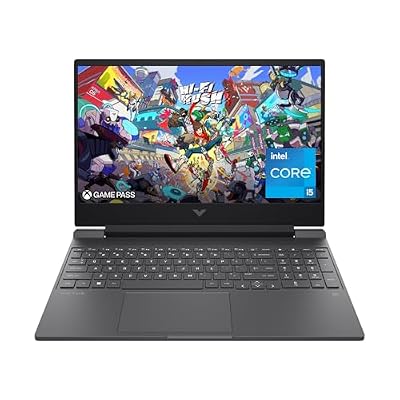
The HP gives a clear factory record. Its Core i5-12500H sits beside an RTX 4050 Laptop GPU with 6GB of graphics memory. The 16GB of DDR4-3200 is fitted as two 8GB modules. Storage is a 512GB SSD.
Its screen is specified at Full HD and 144Hz. That refresh rate does not erase the stated brightness and color limits. Use the Victus 15 review to compare the whole setup. Choose it for parts that meet a real need, rather than a broad claim that more RAM solves every task.
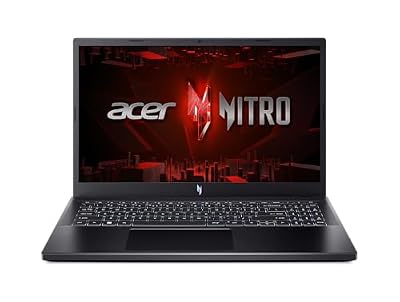
#2. Acer Nitro V ANV15-52-586Z: 165Hz, with 8GB supplied
This Acer lists a Core i5-13420H and RTX 4050 Laptop GPU, with 8GB DDR5 and a 512GB SSD. The 165Hz Full HD IPS panel is its clearest screen distinction here. Keep that fact tied to the full ANV15-52-586Z code.
The lower fitted RAM can change the buying decision even when the GPU name matches the HP. If an app needs more, plan the change before paying. A supported memory limit is not memory already supplied. Compare the complete cost with a factory option that has the amount you need.
#3. Acer Nitro V ANV15-51-51H9: the separate 144Hz model
This configuration also lists a Core i5-13420H with an RTX 4050 Laptop GPU. Its screen is 144Hz Full HD IPS, and its SSD is listed at 512GB. It is a separate retail setup, despite the shared family name.
Our Acer Nitro V assessment keeps the exact model visible. A copied family photo cannot settle its fitted parts. Neither can a review of the 165Hz version. Keep the suffix whenever you compare specifications or ask a seller a question.
Best specs for a gaming laptop: build a decision record
Use the same fields for each candidate. An unknown is a question to resolve, rather than a benefit to infer from the brand.
Field
What to retain
Why it changes the choice
Model
Full factory code and selected option
Stops facts from different variants being merged
CPU
Complete mobile processor name
A broad tier hides different layouts and generations
GPU
Laptop GPU, graphics memory and documented power limit
A GPU name alone is not a whole-system test
System RAM
Fitted amount and module layout
Shows what is included and what a needed upgrade involves
SSD
Installed capacity and documented expansion
Advertised size is not all free game space
Panel
Resolution, refresh and exact panel evidence
High refresh does not prove brightness or response
Practical fit
Ports, dimensions and a matched battery test
A desk setup and a travel day need different evidence
Scroll for more →
The three product records above give some of these fields clearly. Exact GPU power and matched game tests remain unresolved in this assessment. We do not copy a limit from another chassis to make the table look complete.
Start with games and resolution
List the games you play and the settings you hope to use. Then read their current official requirements. A minimum target and a high-quality preset are different goals. A laptop that meets one field in a minimum list has not proved the whole experience you want.
For example, Epic's Fortnite PC page separates minimum, recommended and Epic-quality tiers. Its recommended system RAM amount is 16GB or more. That is a useful check against the fitted RAM here, but it is not a Fortnite benchmark.
An external screen can change the task too. More pixels can mean a different rendering workload. Do not use a Full HD result as proof of speed at a higher resolution. Keep the test settings beside the result.
Compare CPU and GPU together
The processor handles game and app work; the GPU renders graphics. Their balance matters to the chosen task. Intel's laptop buying guide treats the system as a whole. It does not reduce the choice to one tier badge.
Keep laptop GPUs separate from desktop parts with similar names. NVIDIA's laptop comparison identifies the mobile products. It is a source for product features, rather than a test of every laptop that uses them.
A maximum power figure also needs its label. It is a stated operating limit, not a frame-rate result. A larger adapter is not proof of a larger GPU power budget. Check the exact model's record and a suitable whole-laptop test.
RAM layout and SSD space
The HP supplies 16GB of RAM as two 8GB sticks. The two Acer configurations supply 8GB. Those are included amounts. A store's larger upgrade option does not become part of the selected base model because it appears nearby on the page.
If you need more RAM, check the correct service record and occupied slots. A processor's theoretical capacity is not the laptop's confirmed limit. Our HP Victus RAM guide explains that source distinction. Its model-specific limits do not apply to an Acer.
For the SSD, plan the files you will actually keep. Windows and recovery files use space before your games do. Updates need room as well. Confirm an expansion route before relying on a spare drive slot or an external device.
Screen and port facts beyond a large number
Refresh rate describes how often the screen can update. It does not prove game frames, response time or low blur. Color and brightness need their own evidence. One family can ship with different panels, so retain the exact model and screen option.
Check ports as a complete path to your devices. A USB-C shape alone does not settle data speed, video output or input charging. HP's 15-fa1040nr sheet, for example, lists a 5Gbps USB-C port with DisplayPort 1.4. It does not establish Thunderbolt.
List what you connect at once. Then include any dock or multiport adapter in the plan. A cable or dock can limit a display mode even when the laptop and screen support more on their own. Verify each link before buying accessories around an assumption.
Read the selected variant before checkout
Match the title, full model code and selected option. If the RAM or GPU fields disagree, ask which setup will arrive. Do not combine the better parts of both descriptions. A familiar chassis photo does not settle its internals.
Keep seller changes separate from the factory record. More memory fitted by a seller may be a different option with different service terms. Read those terms for the exact unit. We excluded catalog records with unresolved hardware conflicts from this comparison.
Factors to consider
Identify the task and current official requirements.
Retain the full model code and fitted parts.
Check both the CPU and laptop GPU.
Compare included RAM before a supported maximum.
Plan usable storage and a verified expansion route.
Read panel and port evidence for the actual option.
Include any required parts and work in the complete budget.
FAQ
What are the best specifications for a gaming laptop?
Start with the games and apps you will run together. Then match the full model, CPU, laptop GPU, fitted RAM, SSD and screen to those needs. The HP supplies 16GB; the Acer options here supply 8GB. These parts lists do not prove game speed.
Is a 120Hz laptop better than a 144Hz laptop?
Refresh rate alone cannot rank whole laptops. It does not prove game frames, color range or pixel response. Check the exact screen and a matching game test. A 144Hz label alone does not make one whole system better for your work.
Do I really need 32GB of RAM or is 16GB enough?
Check your apps and their current memory needs. This HP includes 16GB; both Acer options include 8GB. None of these selected records supplies 32GB. If you need more than the fitted amount, check the exact laptop's supported upgrade route before choosing it.
Best specs for a gaming laptop: how we picked and verdict
We checked exact catalog records and new US offers below the site's ceiling. HP's 15-fa1040nr sheet supplies its factory details. The Acer records identify two separate Nitro V configurations. We use maker records and current app requirements without claiming a hands-on test.
For the best specs for a gaming laptop, choose the complete setup that meets your task. Check the HP first when 16GB already fitted is a firm need. Keep each Acer's 8GB RAM and exact screen record visible. Use our laptop CPU guide to compare the processor choices as complete systems.