3 Laptops Compared: Best Gaming Laptop Display Under 1000 in 2026
As an Amazon Associate, this website earns from qualifying purchases.
The short answer
The newer Acer has the higher stated refresh ceiling at 165Hz. That does not establish an overall screen-quality winner. Keep HP's stated panel limits and both Acer models' missing test evidence visible.
Assess it when a Full HD 165Hz panel fits your games, with its missing measured screen evidence kept visible.
Core i5-13420H and RTX 4050 Laptop GPU
15.6-inch Full HD IPS screen, 165Hz
8GB DDR5 RAM; 512GB SSD
Keep in mind:Refresh is not response time or game speed. Exact brightness, color accuracy and matched panel-response results are not established here; only 8GB RAM is supplied.
Compare this unit if its Full HD 144Hz screen suits the task and you accept the brightness and color limits in HP's exact model sheet.
Core i5-12500H; RTX 4050 Laptop GPU, 6GB
16GB DDR4-3200 fitted as two 8GB modules
512GB SSD; 15.6-inch Full HD 144Hz IPS panel
Keep in mind:HP states 250 nits and 45% NTSC. Those are maker specifications, not our measurements, and they do not establish suitability for critical color work.
Assess this exact unit if a listed Full HD 144Hz IPS panel fits your plan and its base memory suits your apps.
Core i5-13420H and RTX 4050 Laptop GPU
15.6-inch Full HD IPS screen, 144Hz
8GB DDR5 RAM; 512GB SSD
Keep in mind:Matching brightness and color tests remain unknown, as does measured panel response. Its 8GB RAM and full model code must stay in the comparison.
The best gaming laptop display needs more than a high refresh number. Match the exact panel option, then check its resolution. Seek evidence for brightness and color, plus its response. A model family can offer different screens. A test of one cannot prove how every screen in that family works.
These three configurations have listed Full HD IPS panels. The newer Acer states 165Hz, while the HP and older Acer state 144Hz. We put the 165Hz option first only for that stated refresh ceiling. We have no matched panel tests that would establish an overall screen-quality winner.
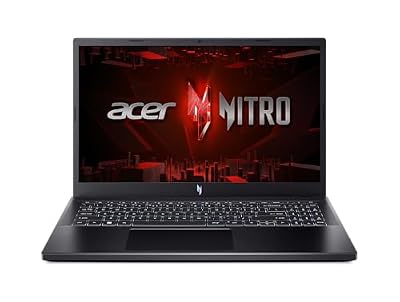
#1. Acer Nitro V ANV15-52-586Z: higher stated refresh
Assess it when a Full HD 165Hz panel fits your games, with its missing measured screen evidence kept visible.
Keep in mind: Refresh is not response time or game speed. Exact brightness, color accuracy and matched panel-response results are not established here; only 8GB RAM is supplied.
The ANV15-52-586Z lists a 15.6-inch Full HD IPS screen at 165Hz. Its Core i5-13420H and RTX 4050 Laptop GPU sit alongside 8GB DDR5 and a 512GB SSD. That is an exact configuration to assess, not proof of smooth play at the screen's full refresh rate.
Do not borrow a brightness or color result from another Nitro V panel. The full laptop code is a useful start, but the actual tested screen option must match too. If a firm display need is not documented, pause the choice rather than treat an unknown result as a pass.
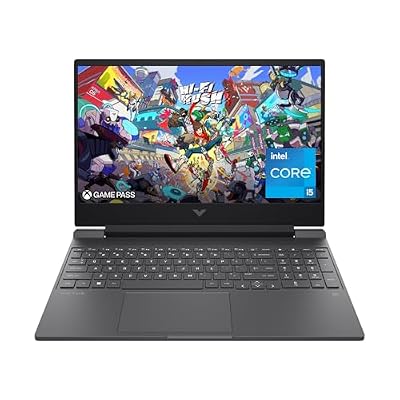
#2. HP Victus 15-fa1040nr: more panel limits documented
Compare this unit if its Full HD 144Hz screen suits the task and you accept the brightness and color limits in HP's exact model sheet.
Keep in mind: HP states 250 nits and 45% NTSC. Those are maker specifications, not our measurements, and they do not establish suitability for critical color work.
HP lists a 15.6-inch Full HD IPS panel at 144Hz. Its exact sheet also states 250-nit brightness and a 45% NTSC color gamut. Those narrower facts are useful because they expose limits that a refresh-rate label leaves out.
The selected model supplies 16GB DDR4-3200 RAM, a Core i5-12500H and RTX 4050 Laptop graphics. More system memory is a separate buying reason. It does not improve the stated panel gamut. Read the Victus review for the full configuration rather than turn that RAM advantage into a screen claim.
#3. Acer Nitro V ANV15-51-51H9: distinct 144Hz alternative
Assess this exact unit if a listed Full HD 144Hz IPS panel fits your plan and its base memory suits your apps.
Keep in mind: Matching brightness and color tests remain unknown, as does measured panel response. Its 8GB RAM and full model code must stay in the comparison.
This Nitro V lists a 15.6-inch Full HD IPS panel at 144Hz. It has a Core i5-13420H and RTX 4050 Laptop GPU, with 8GB DDR5 and a 512GB SSD. It is not the same exact record as the 165Hz Acer.
Our ANV15-51-51H9 review keeps the two models apart. A shared brand or screen size cannot transfer a test result between them. We have no matched test to show this panel has better response or color than the others. Nor can we prove it is brighter.
Best gaming laptop display: compare the evidence fields
Start by separating specifications from measured results. A maker's refresh and resolution figures describe the offered panel. A test of response or color describes a particular screen under a method. They serve different roles and should not be blended into a made-up score.
Exact configuration
Listed screen
Other panel evidence retained
Limit to the comparison
Acer ANV15-52-586Z
15.6-inch Full HD IPS, 165Hz
No matched brightness, gamut or response result established
Higher refresh ceiling alone does not win overall
HP 15-fa1040nr
15.6-inch Full HD IPS, 144Hz
HP states 250 nits and 45% NTSC
Maker figures, with no matching independent test here
Acer ANV15-51-51H9
15.6-inch Full HD IPS, 144Hz
No matched brightness, gamut or response result established
No other Nitro V panel's measurements transferred
Scroll for more →
The table does not prove that either Acer has better color or brightness than the HP. Those fields are unknown in the retained evidence. A missing figure must not become an advantage over a documented compromise.
Keep the exact panel option in view
When reading a test, record the full laptop model and the panel option it names. Check the resolution and stated refresh rate. If the tested unit uses another screen, keep its measurements attached to that screen rather than the entire laptop family.
A store page can mix model options under one family heading. Read the selected variant before ordering. If a title and detail field disagree, seek a clear record for that exact unit. Do not assume the better panel description is the one you will receive.
The hero photographs on this site show generic laptops. They do not prove the selected model's screen quality or fitted parts. Use the exact parts record and a matching test for those decisions.
Resolution, refresh and actual game frames
The selected displays are listed at Full HD. That is a screen resolution, not a game-performance result. Check your target games and the settings you intend to use. A GPU name cannot supply a measured frame rate for a particular complete laptop.
Refresh rate describes how often the panel can refresh. It does not show that the game supplies a new frame for each refresh. The 165Hz figure gives a higher stated screen ceiling than 144Hz. It does not prove the newer Acer runs your game faster.
If a test is used to judge that fit, read its full settings. Native resolution and an upscaled output are different test paths. Frame generation also needs to be identified. A headline frame count without those details is a weak basis for choosing a display.
Response time needs a matching test
Refresh rate and pixel response are different facts. A high refresh label is not a measured result for motion blur or transitions. We have no retained response test for the exact panels on these three configurations.
Look for a test that states the screen and mode used. A result at one setting may not describe every mode offered. Keep the measured behavior and any visible trade-off together rather than choose a single attractive number from the chart.
Do not turn the absence of a test into a claim that the screen is poor. It is an evidence gap. If motion clarity is a firm buying need, resolve that gap before treating one of these units as the answer.
Brightness and color serve other needs
HP's stated 250-nit brightness and 45% NTSC gamut are useful limits to weigh. They do not establish an independent result in your room. We also do not translate that gamut figure into an exact percentage of another color space without a suitable source.
For work that needs accurate color, use the standard required by that work. A broad gaming label or IPS description does not prove the panel meets it. None of the three built-in screens is presented here as a verified critical-color choice.
If glare or a bright room will matter, seek matching screen evidence and assess the actual workspace when possible. A photograph of a laptop in sunlight cannot prove its real brightness or reflections. The choice needs a record of the screen itself.
External-monitor use is a separate path
An external display can change your desk plan, but it needs its own complete connection check. Read the exact laptop's output specification. Match it with the cable and monitor input for the mode you need.
The HP model sheet lists DisplayPort support through its USB-C port. That narrower fact does not establish every possible display mode through a dock. It also does not imply Thunderbolt or laptop charging through that connector.
We have not verified a named dock or cable combination for these units. Check any required accessory before it becomes part of the buying decision. A monitor's advertised mode does not prove the whole path from laptop to screen supports it.
Factors to consider
Match the full laptop code and the selected screen option.
Separate maker specifications from independent measurements.
Compare resolution and refresh with the games you use.
Seek a matching response test if motion clarity is firm.
Check brightness and color against the rest of your work.
Resolve external-display connections across the whole path.
Keep unknown fields visible instead of filling them from a family review.
FAQ
Which display is better for gaming?
Compare the actual task. The newer Acer lists a 165Hz ceiling; the other panels list 144Hz. That is a refresh difference, with no matching response or game test here. Check brightness and color as separate needs. We cannot turn the largest refresh label into a measured overall screen-quality winner.
Can a review of another panel prove this one is good?
No. Match the exact screen option before using its measurements. A family name or shared size is not enough. If the option is unclear, leave the result with the tested model rather than transfer it.
Which laptop has the best screen quality?
We have no matching panel tests that establish an overall screen-quality winner. HP states 250-nit brightness and 45% NTSC for its exact unit. Matching Acer color results are not established here. Check the standard your games and other work need. No screen here is verified for critical-color work.
Best gaming laptop display: how we picked and verdict
We checked exact catalog identities and new US offers below this site's ceiling. The Acer records establish separate Full HD refresh options. HP's exact configuration sheet adds its stated brightness and gamut. We have not measured any of these panels or assigned another variant's results to them.
For the best gaming laptop display, the newer Acer is the first unit here to assess for its stated 165Hz refresh ceiling. That is not an overall screen-quality win. Compare the HP's documented limits and both Acer models' missing test evidence before choosing. The main buying guide keeps the whole system in view. Use contact and corrections for a factual mismatch.